
Post Date: January 29, 2020
Last Updated: November 10, 2026
Introduction
Python continues to introduce features that help developers write cleaner and more efficient code. One such feature is the Walrus Operator (:=), introduced in Python 3.8.
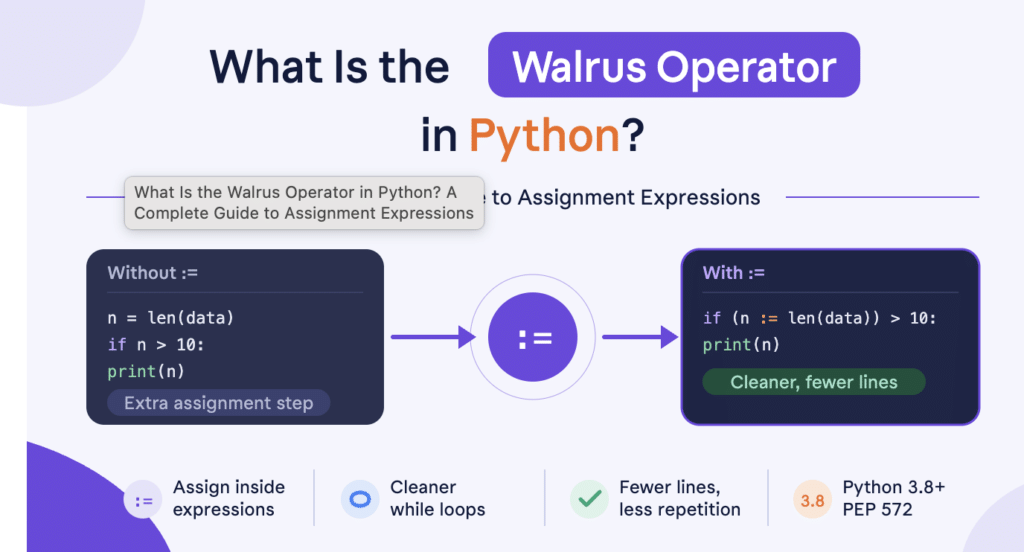
Also known as an Assignment Expression, the Walrus Operator allows developers to assign a value to a variable and use that value within the same expression.
It is called the Walrus Operator because the := symbol resembles the eyes and tusks of a walrus.
In this article, we will explore what the Walrus Operator is, how it works, and how to use it with practical Python examples.
What Is the Walrus Operator in Python?
The Walrus Operator (:=) is an assignment expression that assigns a value to a variable while also returning that value as part of an expression.
Before Python 3.8, developers generally had to assign a value separately before using it in a condition.
With the Walrus Operator, both operations can be combined into a single expression.
Syntax:
variable := expression
For example:
if (number := 27) % 2 == 0:
    print("Given number is even")
else:
    print("Given number is odd")
Output:
Given number is odd
In this example:
number := 27assigns the value27to the variablenumber.- The assigned value is immediately used in the modulus operation.
- If the remainder is zero, the number is even; otherwise, it is odd.
The variable can also be used later in the program.
How to Use the Walrus Operator in Python
Let’s explore a few practical examples to understand how assignment expressions work.
Example 1: Check Whether a Number Is Odd or Even
Consider the following example using the Walrus Operator:
if (number := 27) % 2 == 0:
    print("Given number is even")
else:
    print("Given number is odd")
Here, the variable is assigned and checked within the same expression.
Output:
Given number is odd
Example 2: Compare the Traditional Assignment with the Walrus Operator
Before Python 3.8, you would typically write:
number = 27

if number % 2 == 0:
    print("Given number is even")
else:
    print("Given number is odd")
Using the Walrus Operator, the same logic can be written as:
if (number := 27) % 2 == 0:
    print("Given number is even")
else:
    print("Given number is odd")
Both examples produce the same output.
The second approach combines assignment and condition checking. However, the Walrus Operator should be used when it improves readability rather than simply reducing the number of lines.
Example 3: Use the Walrus Operator with a While Loop
The Walrus Operator is also useful in loops when a value needs to be assigned and checked before processing.
while (user_input := input("Enter a value (or type 'exit' to stop): ")) != "exit":
    print("You entered:", user_input)
In this example:
- The user enters a value.
- The entered value is assigned to
user_input. - The condition checks whether the value is different from
exit. - If the condition is true, the program prints the entered value.
- The loop stops when the user enters
exit.
This avoids writing a separate assignment statement before the condition.
Example 4: Use the Walrus Operator with len()
The Walrus Operator can also help avoid calculating the same value more than once.
names = ["John", "David", "Michael", "Robert"]

if (count := len(names)) > 3:
    print(f"The list contains {count} names.")
Output:
The list contains 4 names.
Here, len(names) is evaluated once, and the resulting value is assigned to count. The same value is then used in the condition and output.
Advantages of the Walrus Operator
The Walrus Operator provides several benefits:
- Reduced Repetition: Combines assignment and condition checking when both operations belong together.
- Improved Efficiency: Helps avoid repeating calculations or function calls when their results are needed more than once.
- Cleaner Code: Can make certain loops and conditional expressions more concise.
- Better Readability: Keeps related operations together when used appropriately.
- Flexible Expressions: Allows assignment expressions in supported conditions, loops, and comprehensions.
Note
Before using the Walrus Operator, keep these points in mind:
- The Walrus Operator was introduced in Python 3.8.
- It uses the
:=syntax, not the traditional=assignment operator. - Parentheses are required in certain expression contexts, including the odd/even example shown above.
- It should be used only when it makes the code easier to understand.
- Python 3.8 reached end-of-life on October 7, 2024. For new projects, use a currently supported Python release.
Conclusion
The Walrus Operator is a useful addition to Python that allows developers to assign values and use them within the same expression.
Introduced in Python 3.8, it can simplify certain conditional statements, loops, and other expressions by avoiding unnecessary repetition.
However, shorter code is not always better code. Use assignment expressions where they improve clarity, maintainability, and readability.
Understanding features like the Walrus Operator helps Python developers write cleaner and more expressive programs.
Frequently Asked Questions
1. What is the Walrus Operator in Python?
The Walrus Operator (:=) is an assignment expression that assigns a value to a variable and returns that value within the same expression.
2. Which Python version introduced the Walrus Operator?
The Walrus Operator was introduced in Python 3.8.
3. What is the difference between = and := in Python?
The = operator performs a regular assignment, whereas := assigns a value as part of an expression and also returns that value.
4. Can the Walrus Operator be used in a while loop?
Yes. It can assign a value and evaluate a condition in the same expression, making it useful for processing input or reading data until a stopping condition is reached.
5. Does the Walrus Operator improve Python performance?
Not necessarily. Its primary benefit is reducing repeated calculations and making certain expressions more concise. It does not automatically make a program faster.
References
- What’s New in Python 3.8 – Official Python Documentation
- Assignment Expressions – Python Language Reference
- PEP 572 – Assignment Expressions
- Status of Python Versions – Python Developer’s Guide
Related Articles
Need Assistance?
Need help with Python development, application programming, or implementing efficient software solutions?
The Pheonix Solutions technical team can assist with software development, application architecture, and technology implementation.
For assistance, contact us.